Workmate
Fixing shift clock-in for a workforce app
Workers with overlapping shifts could not tell the app which shift they were starting. We redesigned clock-in so the hours went to the right shift and pay came out right.
Which shift is this?
When shifts overlapped, clocking in went wrong. If a worker clocked in at 10:30 AM, the system could not tell if they were 30 minutes late for Shift 1 or 30 minutes early for Shift 2. Timesheets and payroll ended up wrong.
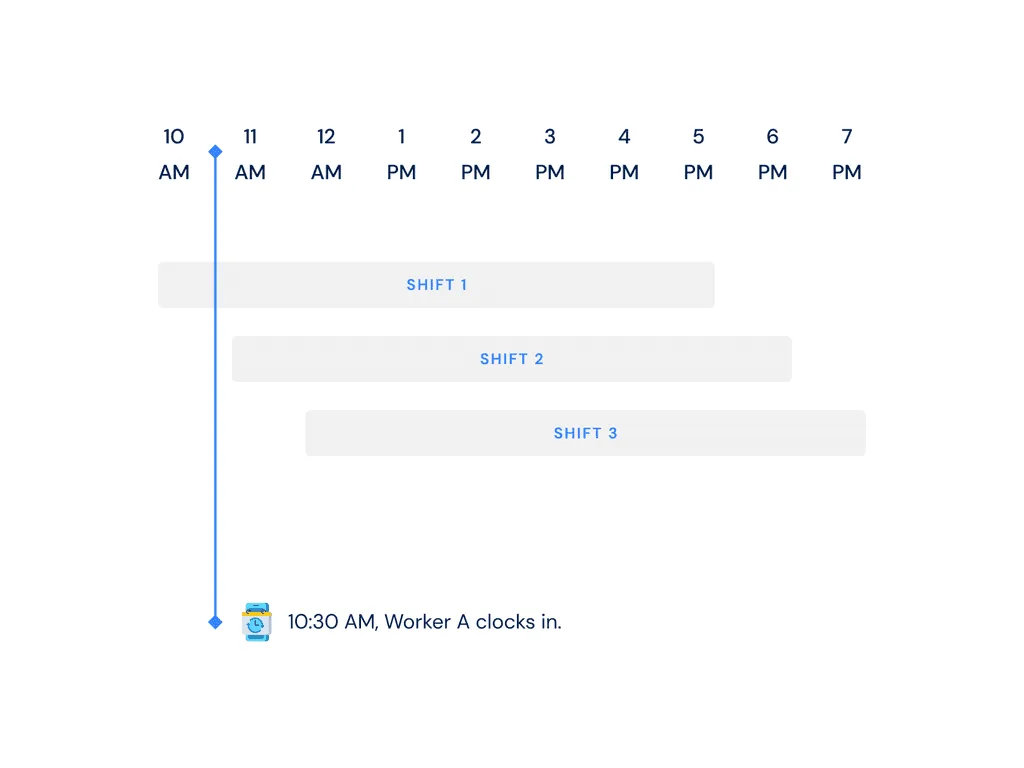
Before: the app guessed
Clients could already schedule overlapping shifts, but the app could not put the hours on the right shift in the timesheet. The interface had to change to handle this case.

After: workers pick their shift
Now workers choose the shift they are starting when they clock in. The time goes to the right shift, and there are fewer errors.
I kept the flow short and easy to follow. The team added a few game-like touches so picking a shift feels quick. We went through three rounds of prototypes and tests in Indonesia before the design was ready.
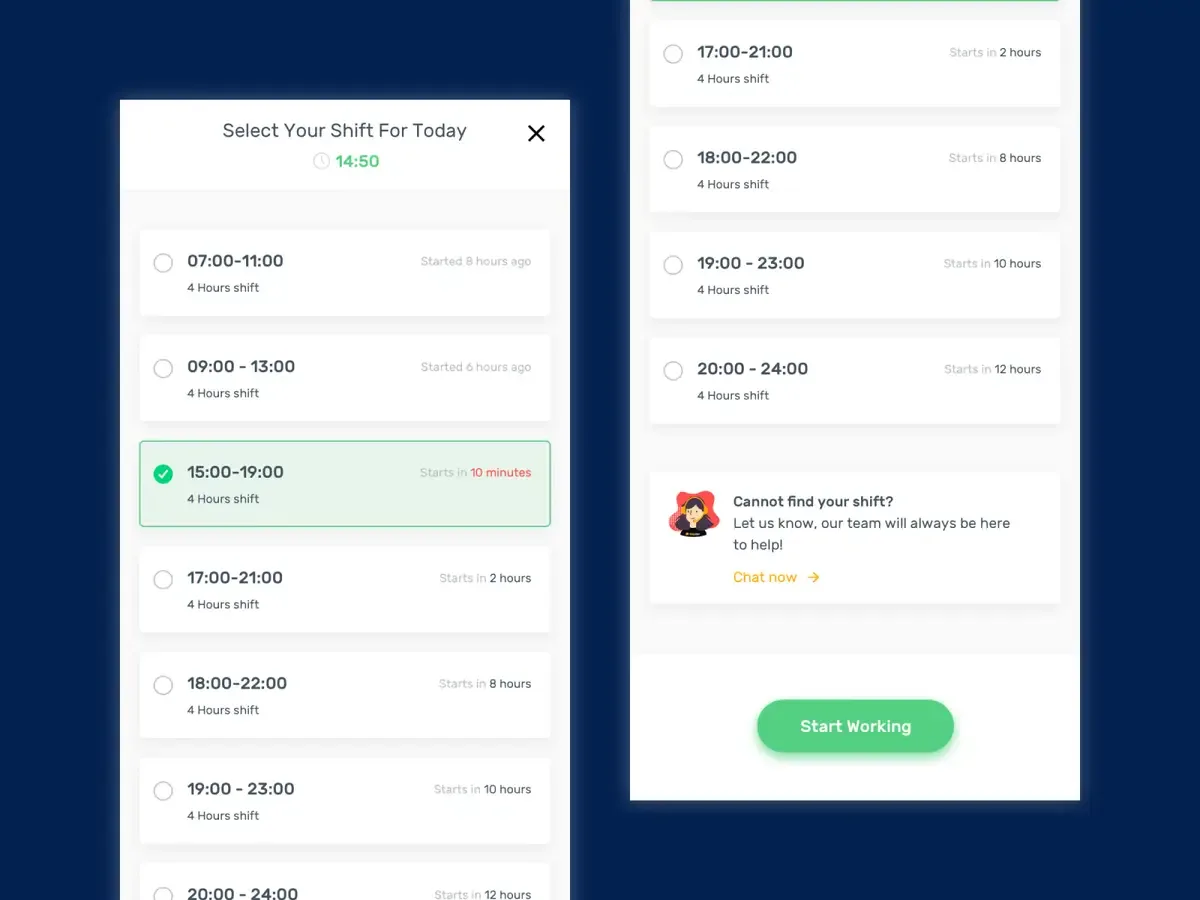
Result
We tested the final prototype in Bangkok, and workers liked it. After launch, operations ran more smoothly and users trusted the app more.
Fewer timesheet errors
More user engagement in the first three months